
In today’s interconnected world, cybersecurity is no longer a concern solely for businesses and governments. Individuals are increasingly vulnerable to cyber threats like phishing attacks, malware, and identity theft. Implementing cybersecurity best practices is crucial to protect your personal information, finances, and online reputation. This article outlines essential cybersecurity measures that individuals can adopt to navigate the digital landscape safely and securely. Learn how to fortify your online defenses against evolving cyber risks and stay one step ahead of potential threats.
From creating strong passwords and practicing multi-factor authentication to recognizing and avoiding social engineering tactics, this guide provides practical advice and actionable steps to enhance your personal cybersecurity. We will explore the importance of software updates, secure Wi-Fi practices, and data backup strategies. By understanding and implementing these cybersecurity best practices, you can significantly reduce your risk of becoming a victim of cybercrime and protect your digital life. Take control of your online security and empower yourself with the knowledge to stay safe online.
Understanding Personal Cybersecurity
Personal cybersecurity involves protecting your digital life from unauthorized access, use, disclosure, disruption, modification, or destruction. It encompasses the devices you use, the data you store, and your online activities.
Why is it crucial? Your digital footprint contains sensitive information, from financial details to personal communications. A security breach can lead to identity theft, financial loss, reputational damage, and emotional distress. Understanding the basics of cybersecurity is essential for safeguarding yourself in today’s interconnected world.
Key Aspects of Personal Cybersecurity
- Device Security: Protecting your computers, smartphones, and other devices with strong passwords, software updates, and antivirus software.
- Data Security: Securing your personal information through strong, unique passwords, two-factor authentication, and careful online sharing practices.
- Online Security: Practicing safe browsing habits, avoiding suspicious links and emails, and being aware of phishing scams.
Creating Strong Passwords
Passwords are the first line of defense against unauthorized access to your accounts. A strong password is crucial for maintaining your online security.
Follow these guidelines to create strong, difficult-to-crack passwords:
- Length: Aim for a minimum of 12 characters. The longer the password, the harder it is to crack.
- Complexity: Use a combination of uppercase and lowercase letters, numbers, and symbols.
- Uniqueness: Avoid using the same password across multiple accounts. A breach in one could compromise all.
- Avoid Personal Information: Do not use easily guessable information like your name, birthdate, or pet’s name.
Consider using a password manager. These tools generate and securely store complex passwords, simplifying password management while enhancing your security.
Using Multi-Factor Authentication
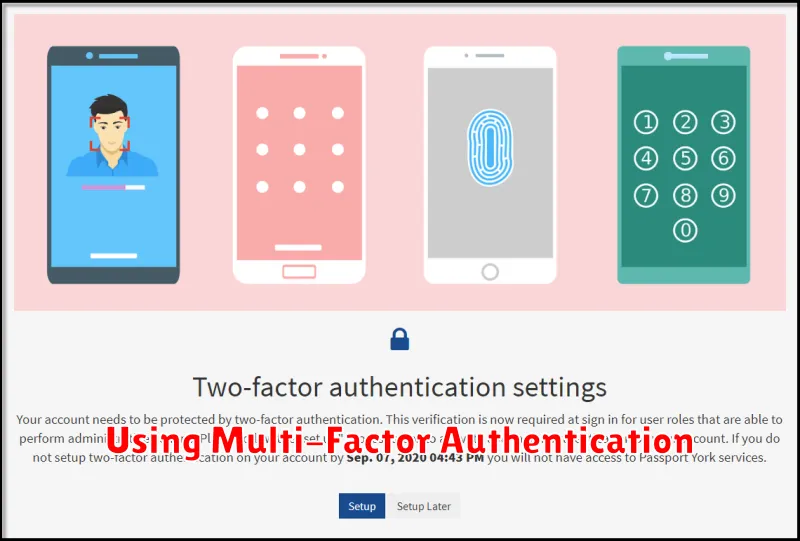
Multi-factor authentication (MFA) is a crucial security measure that adds an extra layer of protection to your online accounts. It requires users to provide two or more verification factors to gain access, making it significantly more difficult for unauthorized individuals to compromise your accounts, even if they have your password.
Typically, MFA involves something you know (like your password), something you have (like a code from an authenticator app or a security token), or something you are (like a fingerprint or facial recognition).
By enabling MFA, you significantly reduce the risk of account takeover. Even if a malicious actor obtains your password through phishing or other means, they will be unable to access your account without the second factor.
Common MFA Methods
- Authenticator Apps: These apps generate time-based one-time passwords (TOTPs) that are required for login.
- SMS Codes: A code is sent to your mobile phone via text message.
- Security Keys: Physical devices that you plug into your computer or connect wirelessly.
- Biometrics: Fingerprint scanning or facial recognition.
Consider implementing MFA on all important accounts, such as email, banking, and social media. Many services offer MFA options, and enabling it is a simple yet powerful step toward improving your online security posture.
Avoiding Public Wi-Fi Risks
Public Wi-Fi hotspots are convenient, but they pose significant security risks. Because these networks are often open and lack robust encryption, malicious actors can potentially intercept your data. This includes sensitive information like passwords, credit card numbers, and browsing history.
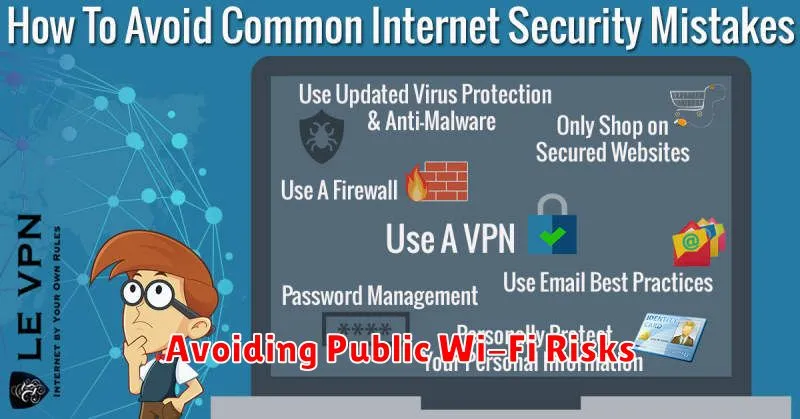
To mitigate these risks, it’s crucial to exercise caution when using public Wi-Fi. Avoid accessing sensitive accounts like online banking or email. If you must use public Wi-Fi, consider using a Virtual Private Network (VPN). A VPN encrypts your internet traffic, creating a secure connection even on an unsecured network.
Key practices for safe public Wi-Fi usage:
- Verify the network name with venue staff to avoid “evil twin” hotspots.
- Enable your device’s firewall.
- Disable automatic connection to available networks.
- Look for websites using HTTPS, indicating a secure connection.
Recognizing Phishing Attempts
Phishing attacks are designed to trick you into revealing sensitive information like usernames, passwords, and credit card details. Recognizing these attempts is crucial for protecting yourself online.
Suspicious Senders: Be wary of emails from unknown or untrusted sources. Carefully examine the sender’s email address for discrepancies or misspellings.
Generic Greetings: Phishing emails often use generic greetings like “Dear Customer” instead of your name. This can be a red flag.
Urgent Language: Phishing emails often create a sense of urgency, pressuring you to act quickly before you have time to think critically. Beware of phrases like “Your account has been compromised” or “Urgent action required.”
Requests for Personal Information: Legitimate organizations rarely request sensitive information via email. Be extremely cautious of emails asking for your passwords, social security number, or credit card details.
Suspicious Links and Attachments: Avoid clicking on links or opening attachments from untrusted sources. Hover your mouse over a link to see the actual URL. If it looks suspicious, don’t click on it.
Securing Social Media Accounts
Social media platforms are often targets for cyberattacks, making account security paramount. Strong, unique passwords are the first line of defense. Avoid using the same password across multiple platforms. Enable two-factor authentication (2FA) whenever possible for an added layer of security. This requires a second form of verification, like a code sent to your phone, before granting access to your account.
Privacy settings are another crucial aspect of social media security. Review and customize these settings to control who can see your posts, personal information, and contact you. Be wary of accepting connection requests from unknown individuals. Limit the amount of personal information you share online, as this can be used for social engineering attacks.
Regularly review the apps and websites connected to your social media accounts. Revoke access to any suspicious or unused applications. Be cautious about clicking on links or downloading attachments from unknown sources, as these could contain malware.
Updating Devices Regularly
One of the most critical cybersecurity practices is regularly updating your devices. This includes computers, smartphones, tablets, and any other internet-connected devices in your home or office. These updates often contain vital security patches that address known vulnerabilities.
Failing to update your devices leaves them susceptible to exploitation by cybercriminals. Outdated software can be a gateway for malware, ransomware, and other threats. Regular updates are essential to patching these security holes and protecting your sensitive information.
Enable automatic updates whenever possible. This ensures you receive the latest security patches as soon as they are released. For updates that require manual installation, schedule a regular time to check for and apply them. Don’t postpone these updates, as delays can significantly increase your risk.
